


Accounts receivable software for logistics. Receivables in chaos, and the invoices keep piling up?
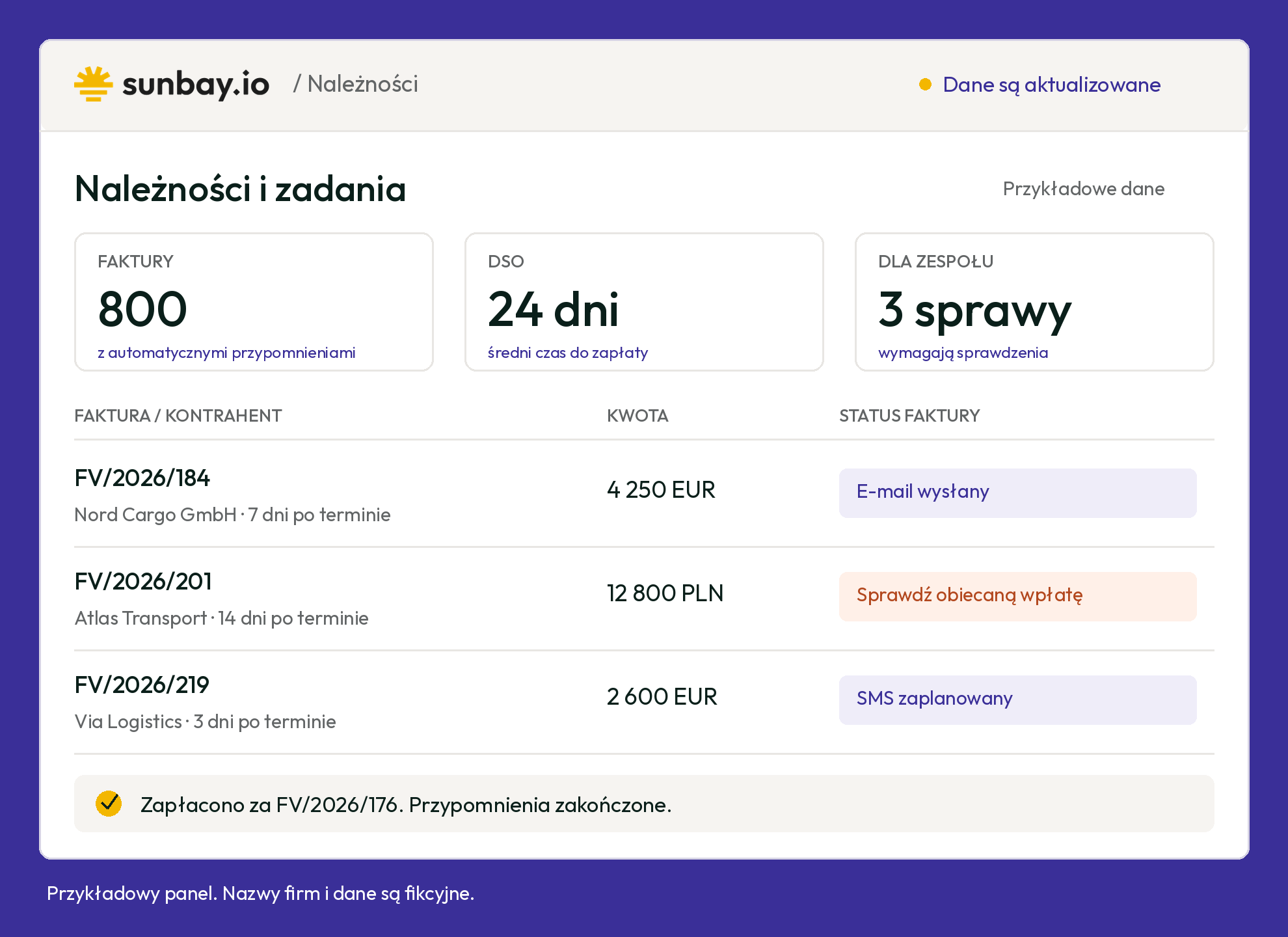
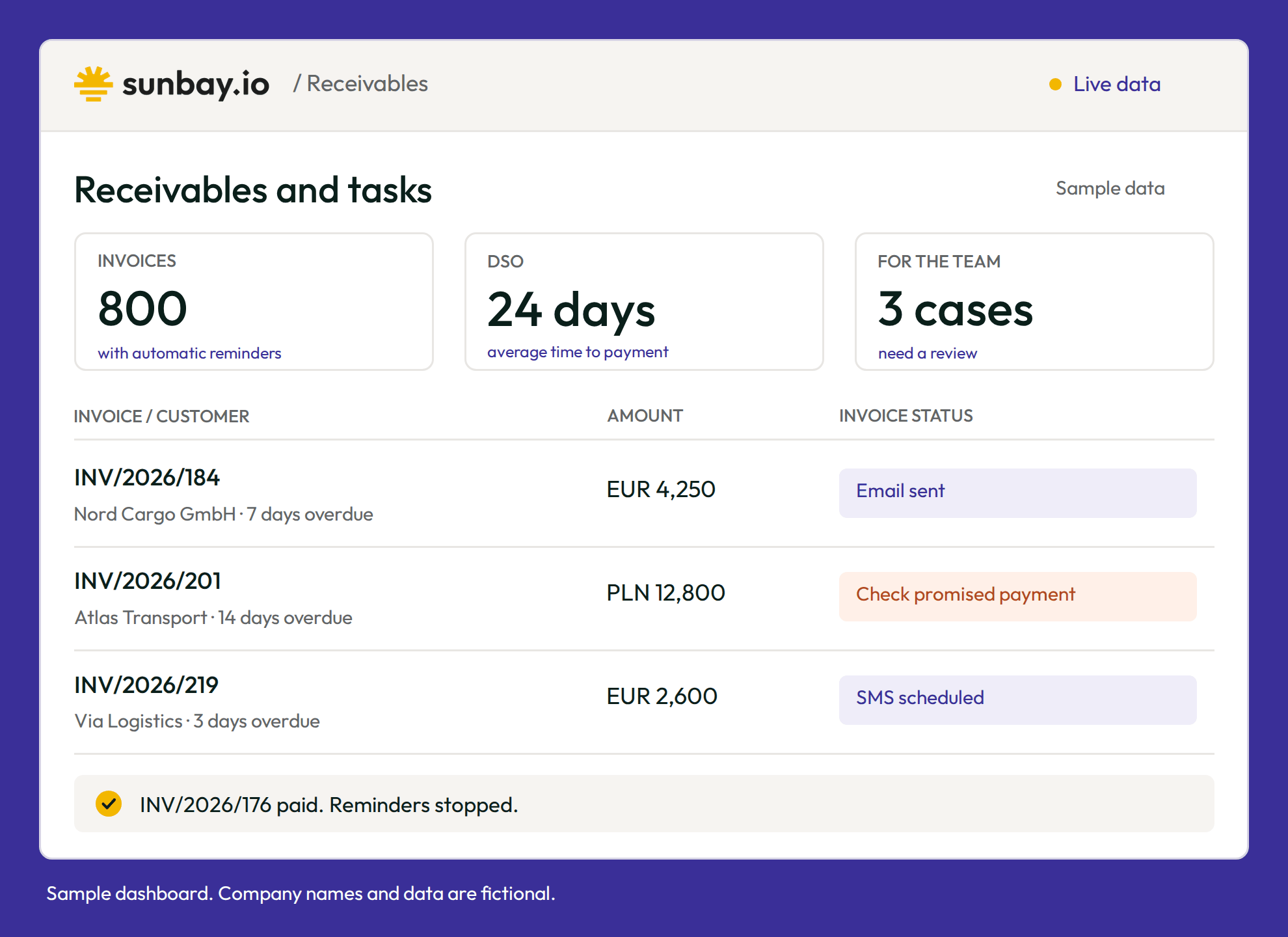
Sunbay pulls invoices from your TMS and reminds customers to pay. It checks whether the money has arrived and brings in your team only when something needs explaining, such as a disputed amount or a new payment date.
- ✓You don't have to send reminders by hand.
- ✓You can see when a customer promised to pay.
- ✓You ask Sunny AI about overdue payments and get a summary.




.svg)


Results Sunbay customers have achieved
waiting for payment for Sunbay customers. Average result after three months.
Sunbay data →These results come from Sunbay customers in different industries. Yours will depend on your company's situation.
Invoices in your TMS. Reminders and agreements in Sunbay.
You don't have to build an overdue list every week or check each invoice one by one. Sunbay shows who hasn't paid, sends reminders and keeps the history of every contact with the customer.
You decide once when to remind customers to pay. Sunbay keeps track of every invoice.
A path is a plan for contacting the customer, that is, when to send an email, SMS or demand letter. Sunbay follows the path for each customer until the payment is booked in your ERP or you pause the reminders.
Sunbay pulls in invoices.
Upload a list of invoices from a CSV file or connect Sunbay to your TMS or accounting system. You choose which overdue invoices get reminders.
The customer gets reminders.
Sunbay sends emails and SMS messages on the days you set. You choose the content, the language and when to send a demand letter or have someone on your team call.
Your team handles specific cases.
When a customer asks for more time, you save the new payment date and pause the reminders. If an email doesn't get through, Sunbay creates a task to check the customer's address.
Receivables analytics
Aging, DSO, path performance and a cash inflow forecast.
For every invoice you can check the messages sent, the customer's replies and what your team agreed. During onboarding we'll work out how to connect Sunbay to your TMS, your accounting system and KSeF, the Polish e-invoicing system.
The customer promised to pay by 15 September. The money hasn't arrived.
The invoice shows the promised payment date and the person who will get back to the customer if the money doesn't come.
- ✓You note on the invoice “The customer will pay by 15 September. Anna is handling it.”
- ✓You pause reminders until the agreed date.
- ✓If the date passes without payment, Sunbay resumes reminders and creates a task to contact the customer.
A customer in Germany isn't answering your emails.
Your path has an SMS after two emails. If the customer still hasn't paid, Sunbay sends it automatically.
- ✓You choose German as the message language.
- ✓You decide after how many days to send an SMS and when someone on your team should call.
- ✓Everyone on the team can see when and how Sunbay contacted the customer.
Your team only gets the invoices that need explaining.
Sunbay checks due dates and sends reminders. Your team gets a task only when, for example, an email address needs fixing or an amount needs clearing up with the customer.
- ✓You set one reminder path for a chosen group of customers.
- ✓Sunbay keeps track of send dates for every invoice.
- ✓Each task shows what needs doing and who is on it.
Management asks how much money customers owe.
In Sunbay you check unpaid amounts and days past due. You can also ask Sunny AI, for example about invoices more than 30 days overdue.
- ✓You see invoices 1 to 30, 31 to 60, 61 to 90 and over 90 days overdue separately.
- ✓DSO shows how many days you wait for payment on average.
- ✓You set up a weekly report by email, for example on Friday morning.
Questions about receivables in transport and logistics
Answers for finance teams at carriers and freight forwarders.
Is Sunbay a debt collection agency?
No. Sunbay is an accounts receivable platform. Reminders, interest notes and payment demands go out in your company's name, and you decide on every next step. If a customer still doesn't pay after a demand, you hand the case to a law firm or the KRD debtor register with the invoice, demands and contact history (in the Pro plan). Read how a debt collection agency compares with software.
How do I connect Sunbay to my TMS?
A CSV file with invoices for one group of customers is enough to start. During implementation we agree how to connect Sunbay to your TMS, accounting system and KSeF, Poland's e-invoicing system. A payment booked in your ERP closes the case and stops further reminders. You can check ready connections on the integrations page.
When does Sunbay send reminders?
Whenever you set them in the reminder path. The first email can go out a few days before the payment due date, and further emails and text messages on chosen days after it. Customers abroad get messages in the language you choose, for example German. With hundreds of invoices you set one path for a whole customer group, as shown on the collections page.
What if a customer disputes a freight invoice?
You take the disputed invoice out of the process, and the other invoices keep getting reminders. Sunbay creates a task with a deadline and an owner, so a dispute over damaged cargo or a missing document doesn't get lost in an inbox. You note what you agreed with the customer on the invoice, and the whole team can see it.
Can I charge interest and compensation for late payment?
Yes, if the customer is a business or a public body. Under Polish law, from the day after the due date you can charge statutory interest for late payment in commercial transactions and a fixed compensation for recovery costs of €40, €70 or €100, depending on the invoice amount. Sunbay prepares the interest note and the payment demand and sends them on the day you choose.
How long do I have to claim payment for a transport job?
Usually one year. That is the limitation period for claims under a contract of carriage, both for domestic carriage in Poland (Article 77 of the Transport Law) and for international road carriage (Article 32 of the CMR Convention). When the year starts counting depends on the type of carriage and claim. In Sunbay you see how many days have passed since each invoice was due, and you decide when to send a payment demand or pass the case to a law firm.
How much does Sunbay cost?
You pay a monthly subscription based on the number of invoices, with no commission on recovered amounts. Plans start at €290 a month, and implementation is a one-time fee of €1,000. See the pricing page for details.

.svg)
.svg)