QuickBooks Online is one of the most widely used accounting systems in the US, Canada and the UK. Creating invoices is quick and matching bank payments to them is easy. The trouble starts when a customer doesn’t pay on time, because most of what happens next is work QuickBooks won’t do for you.
What QuickBooks reminders can do
QuickBooks Online has built-in automatic invoice reminders. In the settings you can schedule up to three emails, each a set number of days before or after the due date, up to 90 days. You can edit the subject and the message and add fields such as the invoice number or your company name. Reminders cover invoices sent by email from QuickBooks, and they stop once the invoice is paid.
With a dozen or so invoices a month and customers who mostly pay on time, that is often enough.
Where the built-in reminders fall short
The limits show up as invoices and customers multiply.
- One schedule for everyone. Reminders are set for the whole company, so a loyal customer who is two days late gets the same messages as a new customer who hasn’t replied for a month.
- Email only. When messages land in spam or in an inbox nobody reads, QuickBooks won’t send a text or make a call.
- No next steps. After the third reminder the automation ends, and any phone call, demand letter or handover depends on someone remembering.
- No reaction to replies. If a customer promises to pay next week or raises a dispute, someone has to read it, note it and decide what happens with the reminders.
Then there are the payments. If a transfer isn’t matched to an invoice, for example because a customer paid several invoices at once, the invoice still looks open and a reminder goes to someone who has already paid.
What Sunbay adds
Sunbay connects to QuickBooks and pulls open invoices, due dates and customer contact details. It then runs the paths you set up with your team.
- Separate paths for different customer groups, for example by payment history, CRM segment, country or language.
- Email and text messages in the order you choose.
- Interest notes and demand letters as later steps of the path.
- Reply recognition. A promise to pay pauses reminders until the agreed date, and a dispute becomes a task for the account manager.
- Payment matching based on what is booked in QuickBooks, so reminders stop as soon as the customer pays.
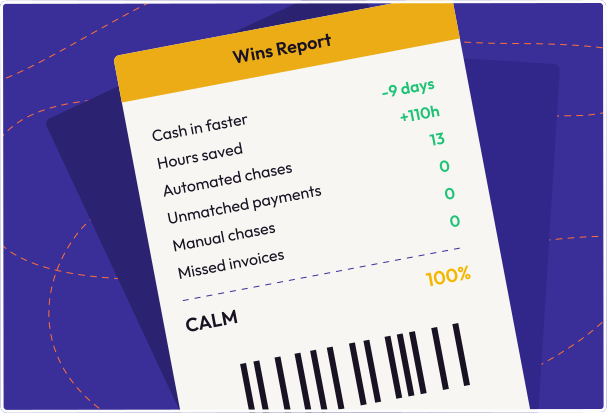
At Tequipy, Sunbay pulls invoices from Xero, QuickBooks and Fakturownia and follows up on payments from customers in four countries. Its operations team got back more than 45 hours a week, and money comes in 7 days sooner on average. Read the full Tequipy story.
When to change your approach
Before you add a tool on top of QuickBooks, check how many invoices are overdue today and how long you wait for payment on average. If your overdue invoices are mostly regular customers paying a few days late, the built-in reminders may be all you need. If the overdue list keeps growing and someone on your team regularly calls and emails customers, you need separate paths for different customers and next steps after the reminders. The integrations page lists the systems Sunbay connects to.
.svg)